"The ability to simplify means to eliminate the unnecessary so that the necessary may speak." -- Hans HoffmanFor today's knowledge workers, every distraction is a drain on productivity and sanity. Every ringing phone, instant message, flashing email reminder, pile of papers, cluttered sticky notes and phone messages and knick knacks and memo posted on the wall -- each of these things slows you down, wastes your time and energy, and stresses you out.
Our life is frittered away by detail. Simplify, simplify." -- Henry David Thoreau
To achieve calm, and simple productivity, create a Zen-like working environment.
Imagine for a minute that your desk is completely clear, except your computer monitor, keyboard and mouse, your inbox and phone, and perhaps a framed photo of a loved one. Imagine the walls around you are free of visual clutter, except for a photo or painting or two of a serene nature scene.
You are able to focus, you can crank out your tasks, and you can lower your level of stress.
It's not hard. Here's how:
- Clear papers. Take all the papers on your desk, and around your desk, and put them in your inbox. If they don't fit, just put them in a single pile. Now go through that pile, one document at a time. Don't put any document back on the pile -- deal with it immediately, and then move on to the next document, until you've cleared the pile (this may take several sessions for some people). With each document, your choices are to 1) Trash; 2) Delegate; 3) File immediately, 4) Do it immediately; or 5) Put the action on your to-do list and the document in an "action" folder.
- Clear clutter. Now clear as much of the other stuff on your desk as possible. And it's all possible. Knick knacks, post-its and phone messages (those should go in the inbox to be processed), most of your framed photos, folders, etc.
- Clear gear. You don't need your office gear to be in sight. Put your pens, stapler, paper clips, digital camera, and any other assorted gear in a drawer, organized neatly. While you're at it, clear out your drawers and only put in the essential stuff. It's easier to keep organized that way.
- Clear the walls. Clear every scrap of paper and most of the artwork from your walls. You don't want your surroundings to be too busy. Put one or two pieces of simple art on each wall.
- Have an inbox. Have one inbox on your desk, and have all incoming documents, notes, phone messages and other papers be put into this inbox. Process it to empty at least once a day, using the steps above. From here on out, don't let any other papers clutter your desk except the one thing you're working on.
- Simplify your computer. Clear your desktop of icons -- it's an inefficient way to launch documents or programs and organize yourself, and they're just visual clutter. Clear everything from your menubar too, if possible. On your desktop, use a simple and serene picture as the background, and only have the document open that you're currently working on. Turn off all email and IM notifications, and only do email at 2-3 set times a day. You don't need all the interruptions.
- Simple filing system. Use a simple alphabetical filing system with plain manila folders. Have plenty of labels and empty folders on hand, so you have nothing stopping you from creating a new file quickly and filing a document. Don't let your filing pile up.
- Edit, edit, edit. Once you've cleared the clutter, there's usually still stuff you can clear away. Edit your surroundings. For each item in view, ask yourself, "Does this really need to be in view?" In most cases, the answer is no. Find a way to get it out of sight, or get rid of it. When you've gone through this process, do it again -- you can usually still find ways to get something out of sight.
- Simple furniture. Go for the simplest furniture possible, a plain floor covering (solid-color wall-to-wall carpeting or undecorated hard-surface floors), bare windows or simple window coverings such as blinds, plain shelves and lamps if necessary.
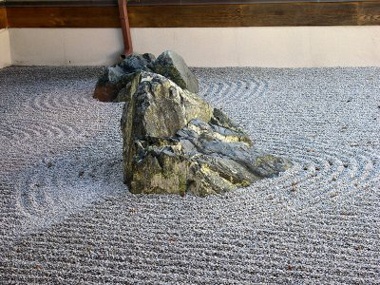
- Simple decorations. Skip the bric-a-brac, and only have one or two simple decorations, such as a few flowers in a vase or a Zen garden.