

The best way to identify an app is to look at your current challenges with time management. Do you get distracted too easily and never complete a task? Or perhaps you end the day without achieving much, wondering where all your time went?
We all have challenges when it comes to being more productive. The best time management apps around vary depending on your needs. For a more comprehensive approach, consider pairing your digital tools with The Full Life Planner, which helps you organize your days and track your bigger-picture goals. That's why we've put together a list of 15 of the best time management apps to help you with the most common challenges.
If you're not taking advantage of some of the hundreds of time management tools, you're missing out.
Let's dive straight into the list.
15 Time Management Apps You Need To Try
1. Rize - Use Your Time Wisely
 If you don't know what you did all day or feel that you haven't accomplished much at the end of the day, you will be excited to know about Rize. Rize not only tracks your time but also gives you valuable insights to improve your productivity, build better habits and increase your focus. The highlight is that you don't need to constantly input information, this is automatically done for you.
You can see how many hours you have worked, how much of that time is focus time, how much time you spend context switching, and which websites distract you most, among many other features. Tracking and managing your time efficiently has never been easier.
2. Notion - Keep on Top of All Your Tasks
 Think of Notion as a single platform with different productivity apps, helping you keep your notes and work in one place. You can collaborate, share documents and notes, and create a central knowledge base for your team, supporting you in all your project management needs.
You can use Notion to replace your to-do lists, project management, note-taking apps, spreadsheets, etc. It saves you time and money and helps you keep on top of your time management and organization.
3. Forest - Boost Motivation to Complete Tasks
 Forest is a unique reinvention of time management apps. This unique and fun app helps you stay focused and incorporates the Pomodoro technique, breaking work into chunks with short intervals. The concept is simple: If you stay focused during this time, your virtual tree will grow. If you lose focus, the tree will die. As the app's name implies, you can grow multiple trees to create a virtual forest!
On top of this particular time management tool being really fun, it reinforces the need to focus on the task. Go ahead and build a wonderful and colorful virtual forest to use as proof to you that you can focus!
Pro tip: Staying focused all the time isn't easy, especially when distractions are everywhere these days! Try the Time Flow System and learn how to sharpen your focus!
4. Spark – Finally Reach Inbox 0
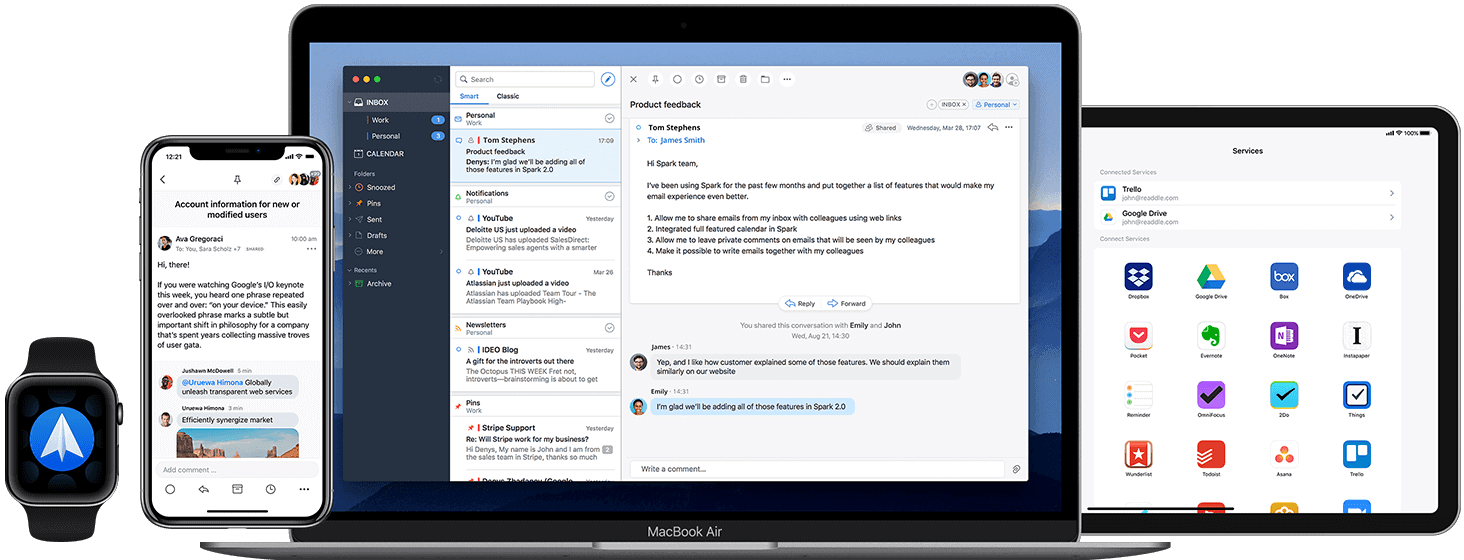
According to a survey by Adobe, people spend at least 3.1 hours checking and reading emails at work.[1] Spark has many features, from removing distractions to only notifying you of important emails to snoozing emails. You can also send an email to your Task Manager to add to your to-do's, reply quickly with templates, as well as get reminded to follow up on emails and schedule to reply to certain emails later.
Finally, reach inbox 0 with Spark.
5. Serene - Focus on Tasks at Hand
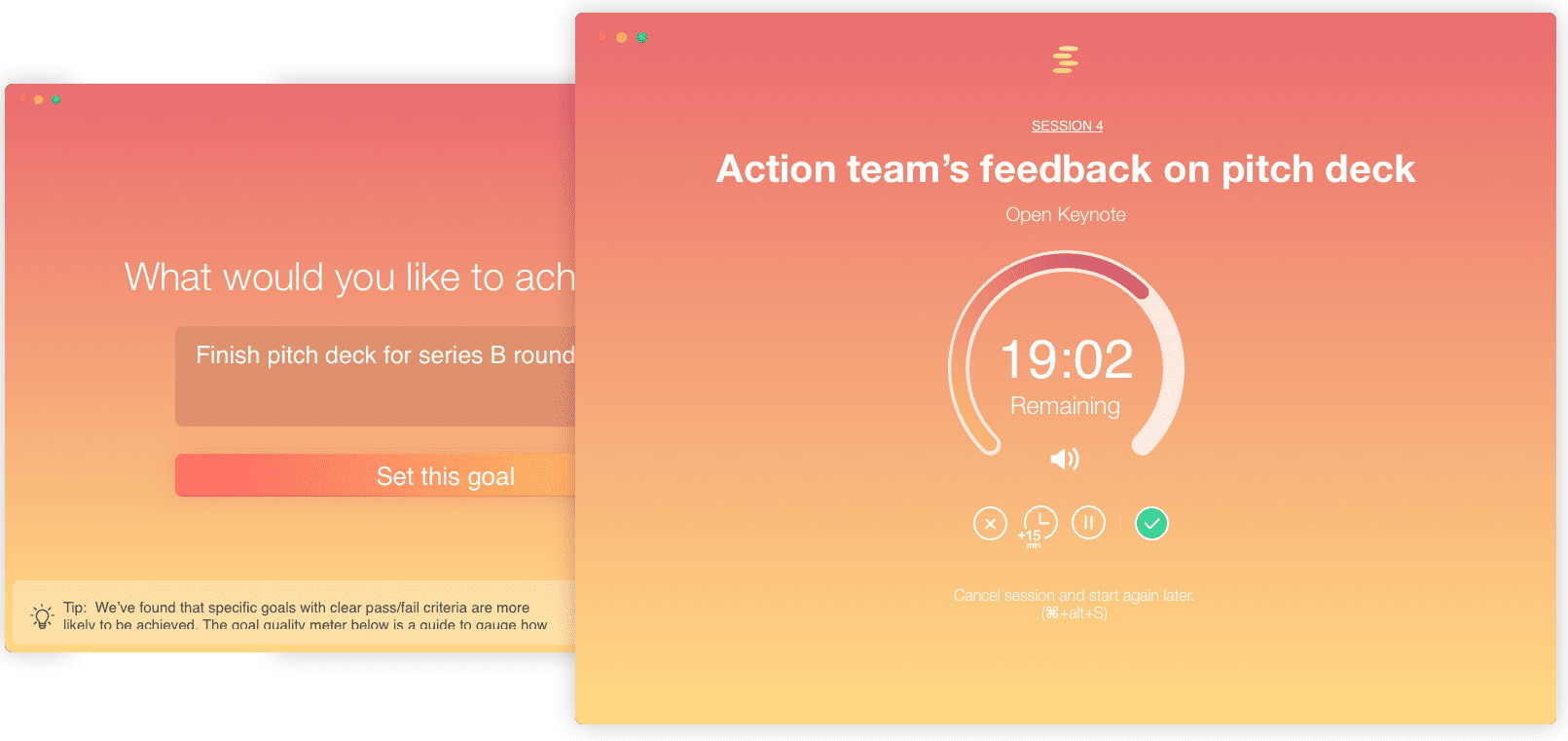
It helps you to:
- 1. Plan your day – Define your goals and tasks for the day and when you want to do them.
- 2. Block Distractions – When starting a task, Serene blocks websites, updates your statuses (ie. unavailable on Slack), and eliminates distractions overall.
- 3. Focus Enhancers – It helps you to stay focused on the task with timers, music, breaks, etc.
6. Fathom.Video – Zoom Is Your Minute Taker
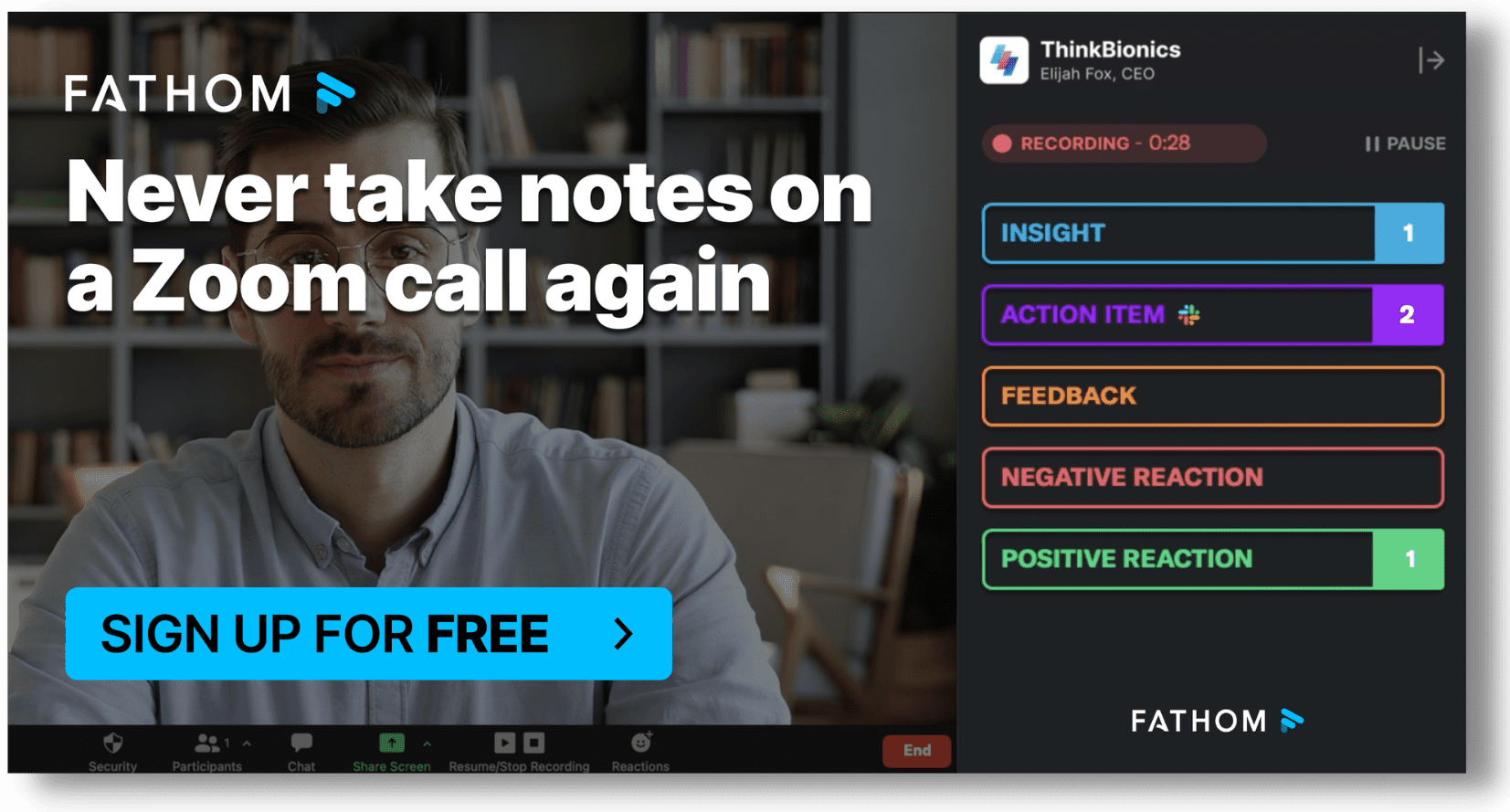
Fathom is an excellent time management tool for meetings and super easy to use. During your meeting, you can highlight important moments, such as decisions, questions, action items, etc. These are sent to you after your meeting with a transcription of the meeting and highlights. This tool syncs your notes to Hubspot, Salesforce, and other CRM platforms accordingly and automatically.
7. MyLifeOrganized (MLO) - Manage Your To-Do Lists Effectively
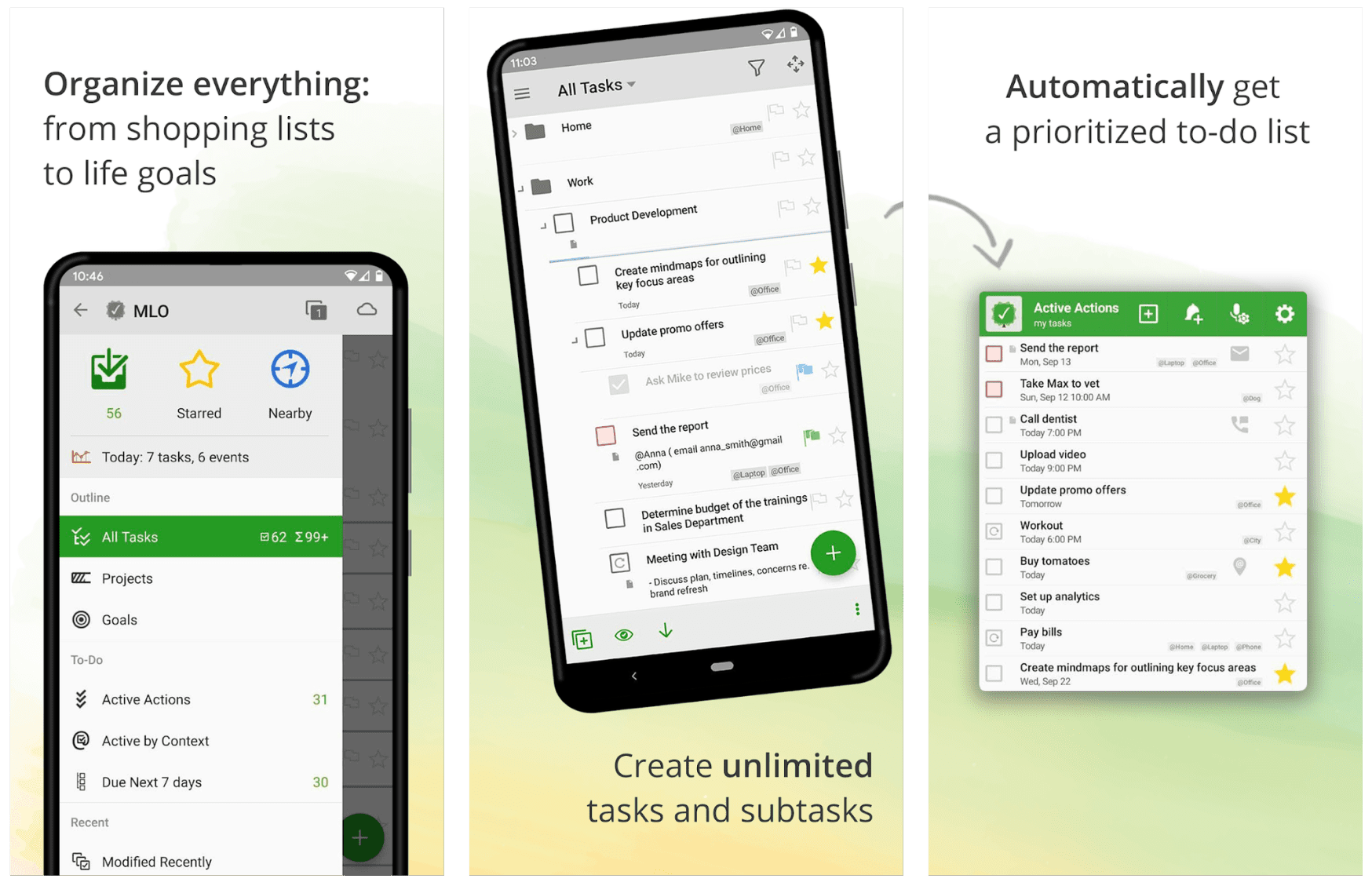
This task management software helps you target what you should be focusing on to reach your objectives. MyLifeOrganized is one of the best time management apps for focused work. It automatically generates to-do lists with priority actions for your immediate attention so that you can track your progress methodically.
8. Todoist - The Ultimate Task Manager
 Trusted by over 30 million people, Todoist is one of the most popular time management apps for organizing tasks and projects. Its clean interface makes it easy to capture tasks, set due dates, assign priorities, and break large projects into manageable subtasks.
What makes Todoist stand out as a time management tool is its natural language input - type "Submit report every Friday at 3pm" and it automatically creates a recurring task. It also integrates with over 70 apps including Google Calendar, Slack, and email clients, so it fits right into your existing workflow. The free tier is generous, making it accessible for anyone looking to get more organized.
9. Toggl Track - Know Where Your Time Goes
 If you have ever wondered where your hours actually go during the day, Toggl Track gives you the answer. This time management app makes time tracking effortless with one-click timers, automatic tracking, and detailed reports that show exactly how you spend your working hours.
Toggl Track is especially useful for freelancers, remote workers, and teams who need to track billable hours or identify time-wasting patterns. The visual reports break down your time by project, client, or task, helping you make smarter decisions about how to allocate your day. It integrates with over 100 tools including Asana, Trello, and Jira.
10. Focus@Will - Boost Your Attention Span
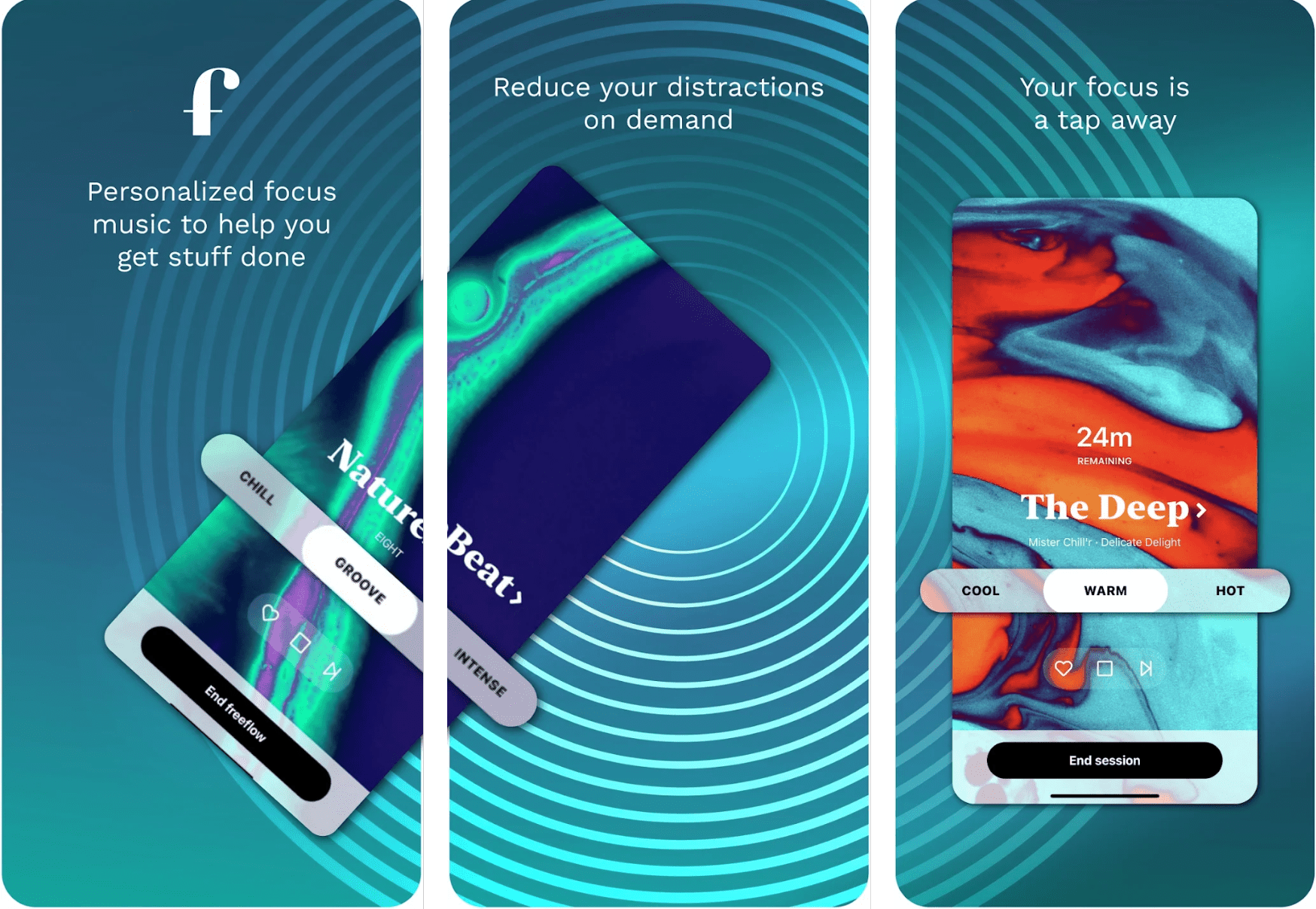
Focus@Will is ideal for those who find it difficult to focus while studying, working, or reading. It also helps you control your ADD.
11. ClickUp - All-in-One Project and Time Management
 ClickUp is a comprehensive time management tool that combines task management, time tracking, goal setting, and document collaboration in a single platform. Whether you are managing personal projects or coordinating with a team, ClickUp gives you multiple views - lists, boards, calendars, and Gantt charts - to organize your work the way that suits you best.
What sets ClickUp apart from other time management apps is its built-in time tracking and time estimates. You can estimate how long tasks will take, track actual time spent, and compare the two to improve your planning accuracy over time. It also offers automation features that handle repetitive tasks, freeing up more of your day for high-value work.
12. Habitica – Gamify Your Habits
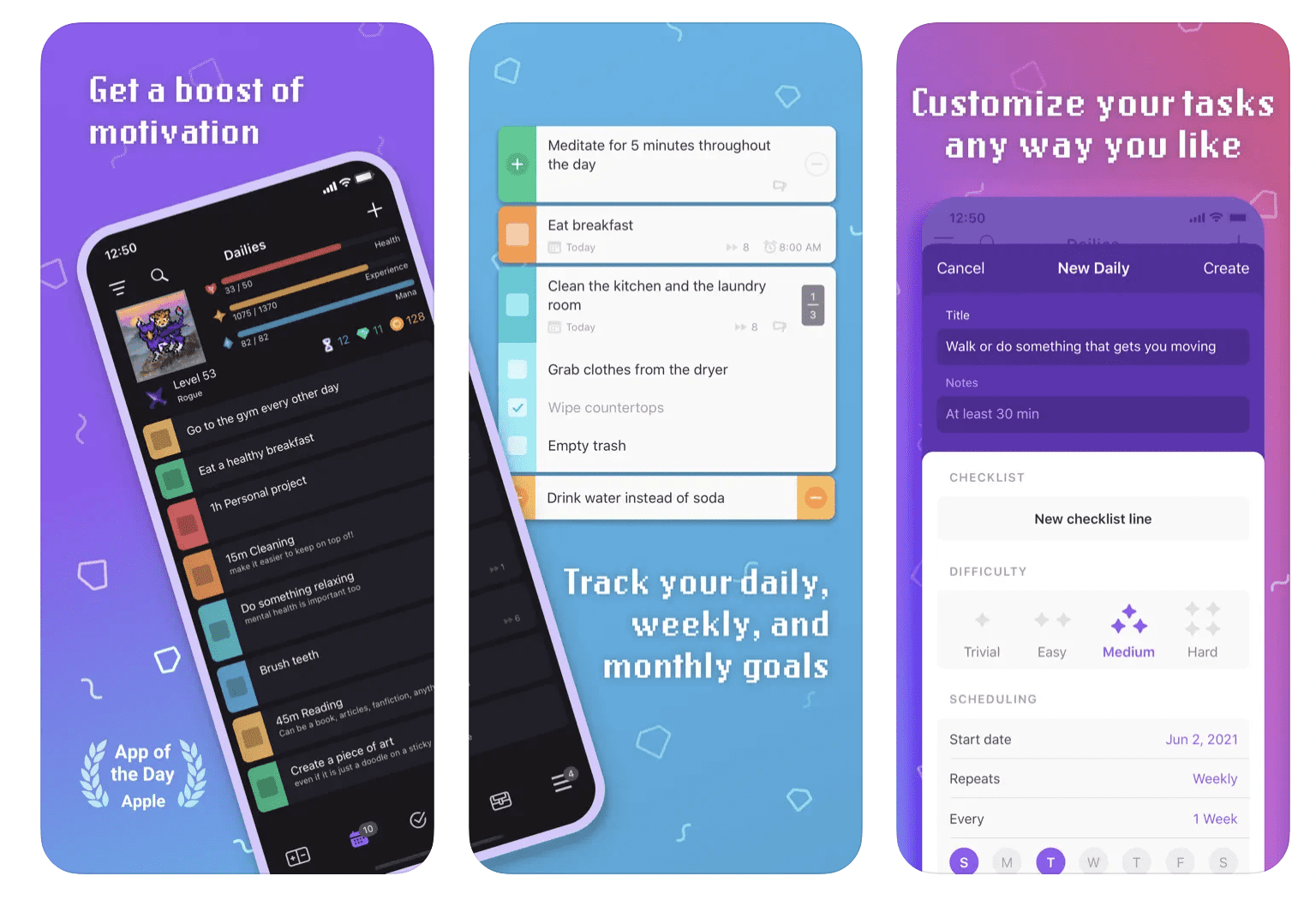
This is where Habitica becomes your partner in success. Track your goals, to-dos, and habits. Stay accountable for achieving your goals with features such as rewards, punishments, and streaks. Finally, have fun getting things done!
13. Quire - Unfold Your Ideas
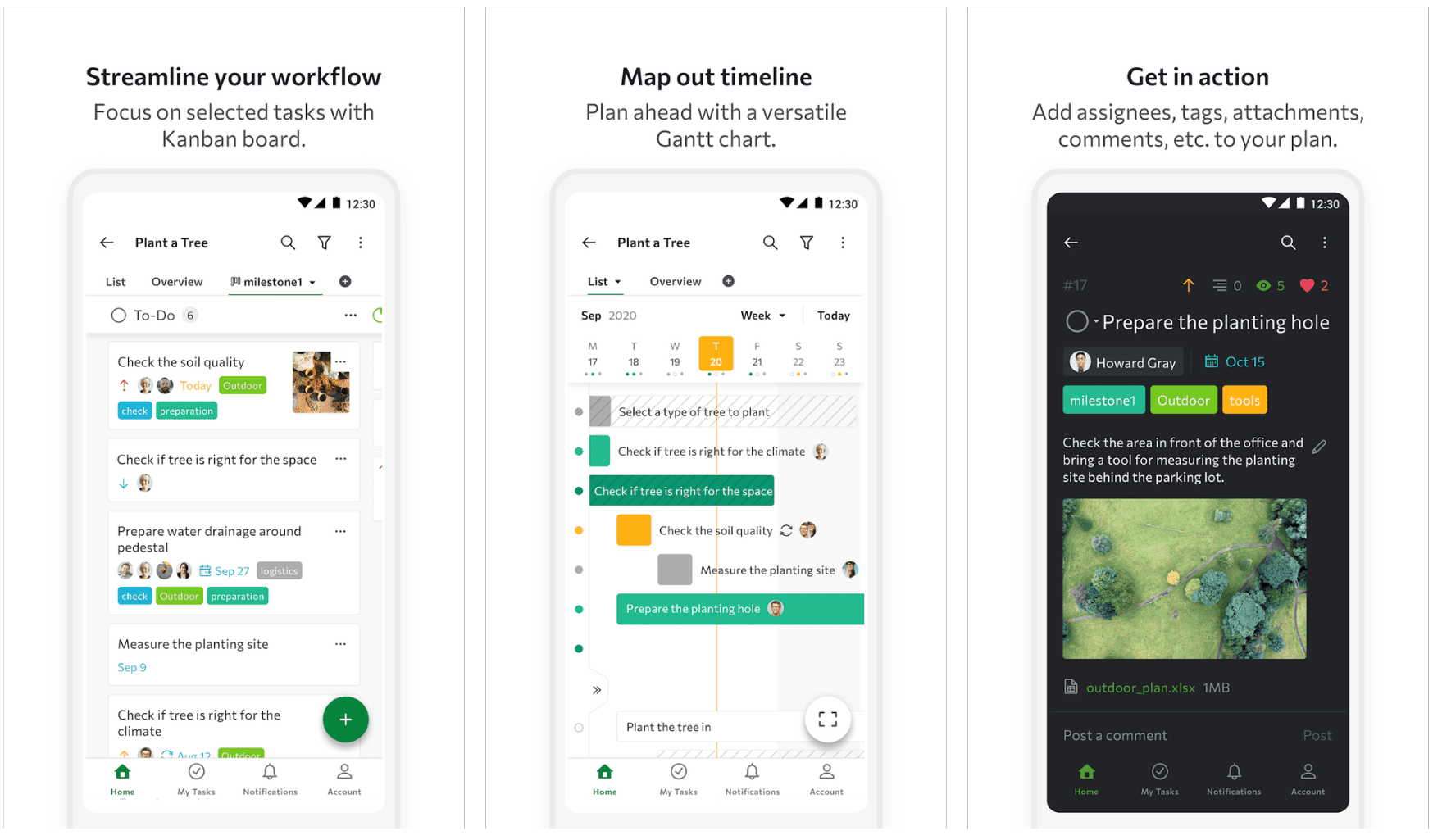
14. Doodle – Scheduling Has Never Been Easier
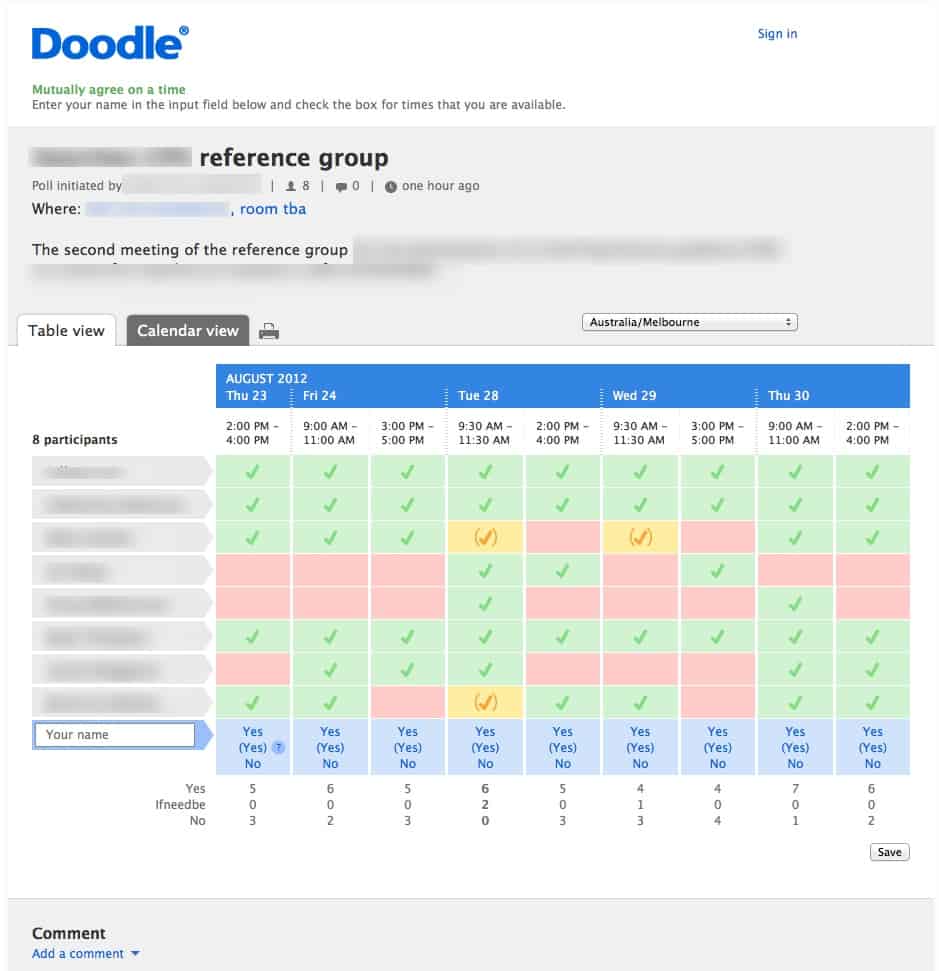 It can be quite frustrating going back and forth spending more time than needed coordinating a day and time that works for everyone to get together. Doodle comes to the rescue here.
Whether you're planning a meeting or a party, Doodle sends everyone options and times and tracks the time that works best for everyone to schedule. It keeps everyone up to date with all current and upcoming events and also syncs with Zoom, Google Meet, Outlook, Microsoft teams, and Zapier for easier collaboration.
15. RescueTime - Understand Your Daily Habits
 RescueTime runs quietly in the background and automatically tracks how you spend time on your devices. It categorizes your activities as productive or distracting and gives you a daily productivity score, making it one of the most insightful time management tools available.
The real power of RescueTime is in its weekly reports. You can see exactly how many hours you spent in meetings, on email, in deep work, or browsing social media. It also lets you set daily goals (for example, 4 hours of focused work) and sends you alerts when you are falling behind. If you want to improve your time management skills, knowing where your time actually goes is the first step.
Frequently Asked Questions
Which time management tool is most effective?
The most effective time management tool depends on your specific challenge. If you need task organization, Todoist or Notion are top choices. If you want to understand where your time goes, Toggl Track or RescueTime provide detailed tracking. For teams managing projects, ClickUp offers the most comprehensive feature set. The best approach is to identify your biggest time management challenge first, then choose the app that directly addresses it.
What is the 3-3-3 rule for time management?
The 3-3-3 rule is a simple daily planning method: spend 3 hours on your most important task, complete 3 shorter urgent tasks, and do 3 maintenance activities (like email or admin work). This structure helps you balance deep work with daily responsibilities. Many of the time management apps on this list, like Todoist and ClickUp, make it easy to organize your day around this framework.
Are free time management apps good enough?
Many of the best time management apps offer robust free plans. Todoist, Toggl Track, Forest, and Notion all have free tiers that cover most individual needs. You typically only need to upgrade to a paid plan when you require advanced features like team collaboration, detailed analytics, or integrations with enterprise tools. Start with a free version and upgrade only if you hit a limitation.
What are examples of time management tools?
Time management tools fall into several categories: task managers (Todoist, Notion, MyLifeOrganized), time trackers (Toggl Track, Rize, RescueTime), focus apps (Forest, Focus@Will), email managers (Spark), meeting tools (Fathom), project management platforms (ClickUp, Quire), and scheduling tools (Doodle). The most productive people combine 2-3 tools from different categories to cover planning, tracking, and focus.
How do I choose the right time management app?
Start by identifying your main productivity blocker. If you constantly forget tasks, try a task manager like Todoist. If you lose track of time, try a time tracker like Toggl Track. If distractions are your enemy, a focus app like Forest can help. Consider whether you need cross-platform support, team features, and what integrations matter to you. Most apps offer free trials, so test 2-3 before committing.
Final Thoughts
The best time management apps and tools are the ones you actually use consistently. Start with one or two from this list that address your biggest productivity challenge - whether that is task organization, time tracking, or staying focused - and build from there.The good news is that many of these time management tools offer free plans that cover most individual needs. While digital tools are essential, don't overlook the power of a structured planner like The Full Life Planner to complement your digital toolkit and keep you focused on your long-term goals.
The key is to avoid app overload. Pick the time management apps that solve your specific problems, learn them well, and let them do the heavy lifting so you can focus on what matters most.


