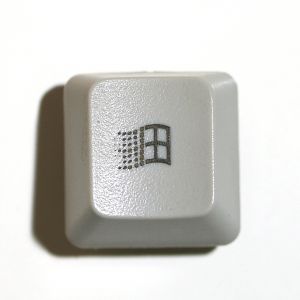
But it is there, and can be useful. Although, barely.
W = Windows Key
W: Opens Start MenuW+ E: Opens up Windows Explorer
W+ R: Opens the Run command. W+ U: Opens Utility Manager W+ L: Log Off
W+ F: Search files on your computer
W+ D: Show Desktop [will switch back and forth from all minimized and back again] W+ F1: Help Menu
W+ Pause/Break: System Properties
W + Ctrl + Tab: Cycles through Tabs in your current app [eg. Firefox's last focused tabs]
Useless:
W+ Tab: Cycles Through Buttons in TaskbarW+ M: Minimize all open windows.
W+ Shift+M: Maximize the windows you had open before minimizing
W+B: Set focus to the first System Tray Icon [which is the arrow if you enable the Hide Inactive Icons option]
CTRL+W +F: Search for computers
Microsoft Natural Keyboard with IntelliType software installed
[Can't be verified by me. Discovered at SimpleHelp.net]W +P: Starts Print Manager
W +C: Opens Control Panel
W +V: Starts Clipboard
W +K: Opens Keyboard Properties dialog box
W +I: Opens Mouse Properties dialog box
W +A: Starts Accessibility Options (if installed)
W +Spacebar: Displays the list of Microsoft IntelliType shortcut keys
W +S: Toggles CAPS LOCK on and off
To disable the Windows key:
- 1. Click Start, click Run, type regedt32, and then click OK.
- 2. On the Windows menu, click HKEY_LOCAL_ MACHINE on Local Machine.
- 3. Click the System\CurrentControlSet\Control folder, and then double-click the Keyboard Layout folder.
- 4. On the Edit menu, click Add Value, type in Scancode Map, click REG_BINARY as the Data Type, and then click OK.
- 5. Type 00000000000000000300000000005BE000005CE000000000 in the Data field, and then click OK.
- 6. Close the Registry Editor and restart the computer.
Know of any decent uses? I was going to just try out every key in conjunction with the Windows Key, but I've got places to be...