One of the aspects of GTD that I have had the hardest time with is the idea of dates; be it start dates, due dates, milestones, whatever. In GTD, Mr. Allen doesn’t speak of date information related to actions very much other than the brief discussion of giving yourself a hard landscape by ways of your calendar. So, to that end, let’s take a look at the wide-world of dates and GTD, and how they can be used within your system.
Start Dates
Quoting Merlin Mann regarding start dates:
“Start dates are ace. Start dates are a way of punting stuff into the future.”
I couldn’t agree more. Start dates allow you to plan your actions and projects effectively while keeping things that aren’t that important or time sensitive out of your hair for the time being. This allows you to concentrate on the stuff that really matters at the moment without being bogged down by tasks and projects that are in your system but aren’t due for weeks or even months down the road.
Because of the awesomeness of start dates I can no longer go back to a system that doesn’t support start dates as a field for a task or project. The two apps that come to mind that do this well are Toodledo and OmniFocus, but I’m sure there are at least a dozen more. If you have a ton of actions on your lists you should definitely consider using start dates to get them out of the way so you can concentrate on current actions and projects.
“Fake” Due Dates
Ever have self-talk like this regarding projects?
“Let’s see. I have a report due by the end of the month and have at least 10 actions that go with it. I’m waiting to hear back from John, get the notes from the meeting, summarize the notes, make an outline, etc. So, by next week I should have have the notes summarized and the outline completed. I’ll give that due date of 2/27/11.”
The above is a good example of “fake due dates”; these are arbitrary dates that you set up for actions within a project that are due before the actual due date project. In my experience these types of due dates don’t work. What they tend to do is allow procrastinators procrastinate more, because when they see due dates they push everything back to the last minute.
Here is a much better approach; instead of giving all your project actions fake due dates, make sure that your actions are “highly doable”, meaning that they are something that can be done within 10 to 25 minutes. This will help a project move a long much faster. What you may find is that you get more done than you would have giving all these actions fake due dates.
Real Due Dates
Real due dates are the actual due date of an action or project. These type of dates are usually put on us by project manager types or are set by yourself as the date that projects or actions are to be completed.
When I receive a due date for a school project or assignment at work I always add it to the action or the project and try very hard to avoid the fake due date syndrome I spoke of above. Sometimes in my project notes I will give myself milestones saying that if by such-and-such date I have a certain number of actions done then I am on track, otherwise I need to clear my back log of tasks to consider myself to be on time. This works well as it doesn’t clog my system with fake due dates, yet still allows me to check my progress on actions and projects related to dates.
The Hard Landscape
The hard landscape that Mr. Allen talks about is the idea of putting things on your calendar that have to be done on that particular day or time (think meetings, actions that can only be done on a single date or time, or reminders for that day or time). This is a sacred place and shouldn’t be cluttered with things that don’t have a hard due date or actions that you’d think you’d like to get done on a certain date.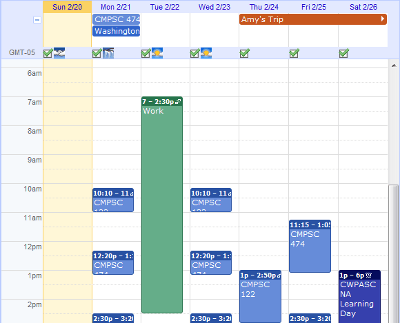
I will admit though, if I do have a long standing project that has a hard due date, I put in on my calendar as an all day event. Be it “right or wrong” per GTD, I don’t really care. What this has done for me is put things into perspective during my weekly review of actions and projects allowing me to see when large projects or certain actions are due at a glance of the calendar. Other than these hard due dates, the calendar is hands off for anything other than what was mentioned above.